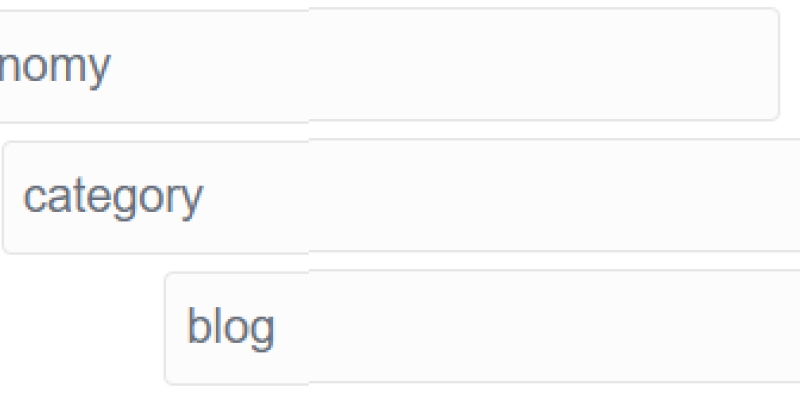
Related Post を表示する、Related Pages Plugin の設定をした。 このとおり。わかりずらいゼ!
filter:
  items:
    @taxonomy:
      category: blog
page_in_filter: false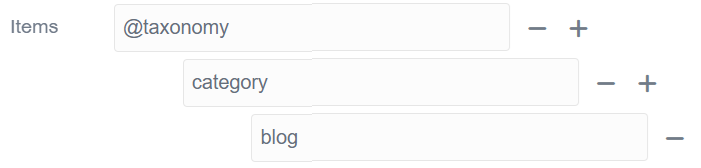
Grav のテンプレートを調整するとき、これまではコンソールで SSH ログインして vi で編集していたが、さすがに非効率なので、VS Code の Remote - SSH を使って編集できるようにした。

カスタマイズの内容を備忘録的に書いていく
Grav の Archive Plugin を使って Blog のアーカイブを作るのだけれど、Blog にしたい トップページの Frontmatter を書き換える必要がある。 Grav では、@self.children で、子ページをコレクションする想定のようだけど、自分は /blog/202511/25-blog-slag-string みたいな URL にしたいので、@self.descendants に書き換えを行いました。
CMS といえば WordPress が圧倒的。だけど… 世の中の CMS といえば、やはり WordPress がとても強い。
ただ、前回のサイトではデータベースのバックアップを取っていなかったこともあり、今回はしがらみゼロの状態。せっかくなら WordPress 以外で良い CMS がないか探してみることにした。

The Quark theme has the ability to allow pages to override some of the default options by letting the user set body_classes for any page. The theme will merge the combination of the defaults with any body_classes set. This allows you to easily add hero classes to give your blog post some bling.
The blog skeleton also supports Daring Fireball style link posts. Simply add a link setting in your page header:
The Quark theme is the new default theme for Grav built with Spectre.css the lightweight, responsive and modern CSS framework. Spectre provides basic styles for typography, elements, and a responsive layout system that utilizes best practices and consistent language design.
Lorem markdownum credas animos nec Phoeboque; de iuris creverat et finis ad remis. Mox hanc innixus actum dabitur Amorum; esse erat paventem. Cum sole deque manu memores neu aurea sit est, ira.